Failed to Add Data Source: 401 Authorization Error
Error Message
Error code: 401
{
  "error": "missing authorization",
  "message": "Authorization header is required"
}
Cause
Missing Compute API KEY (LLM_API_KEY), which prevents the system from calling the large model to analyze the data source.
Solution Steps
1. Obtain the Compute API KEY
Log in to AskTable SaaS Platform → Top-right avatar → AI Compute → Request Token
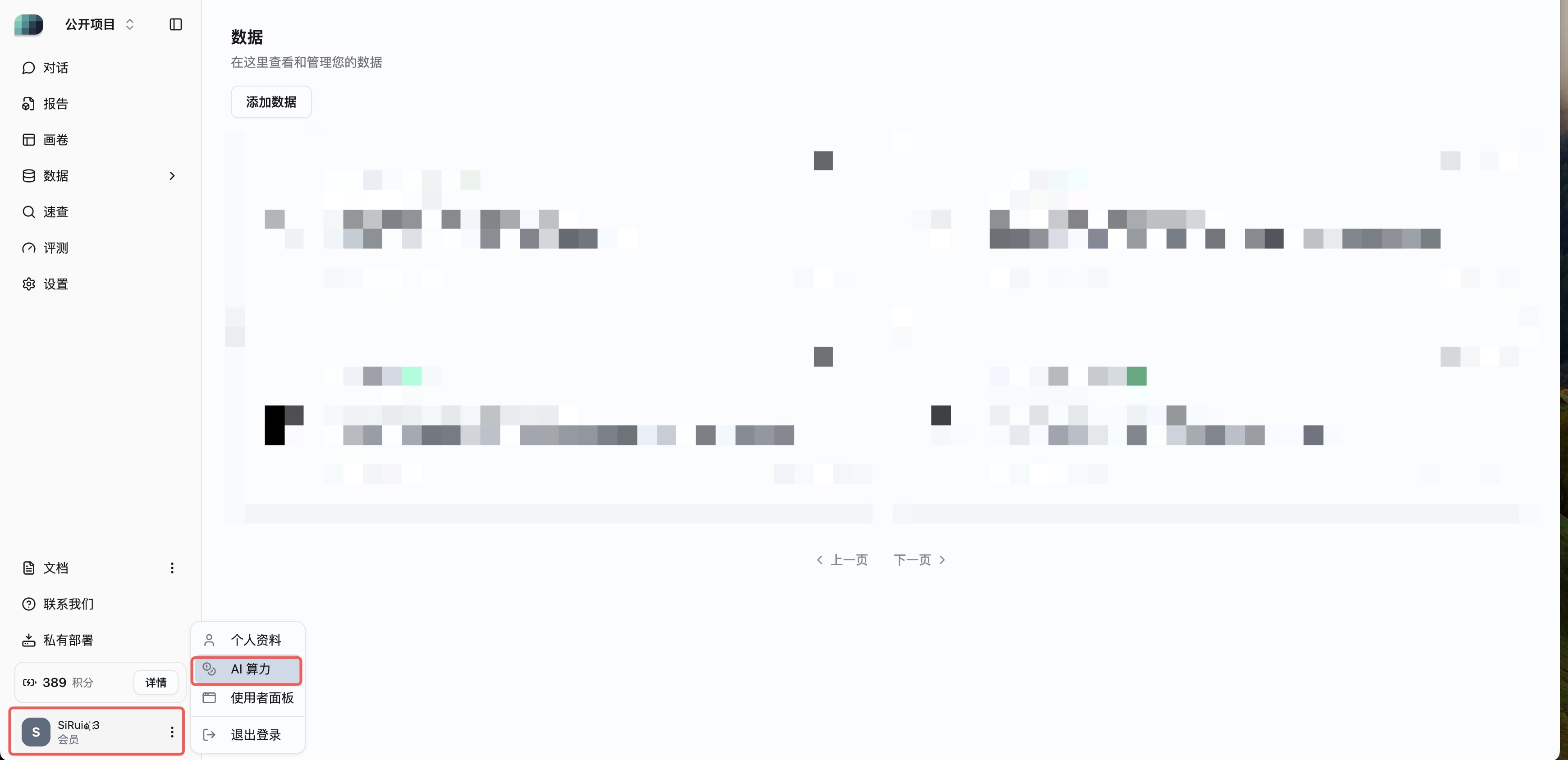
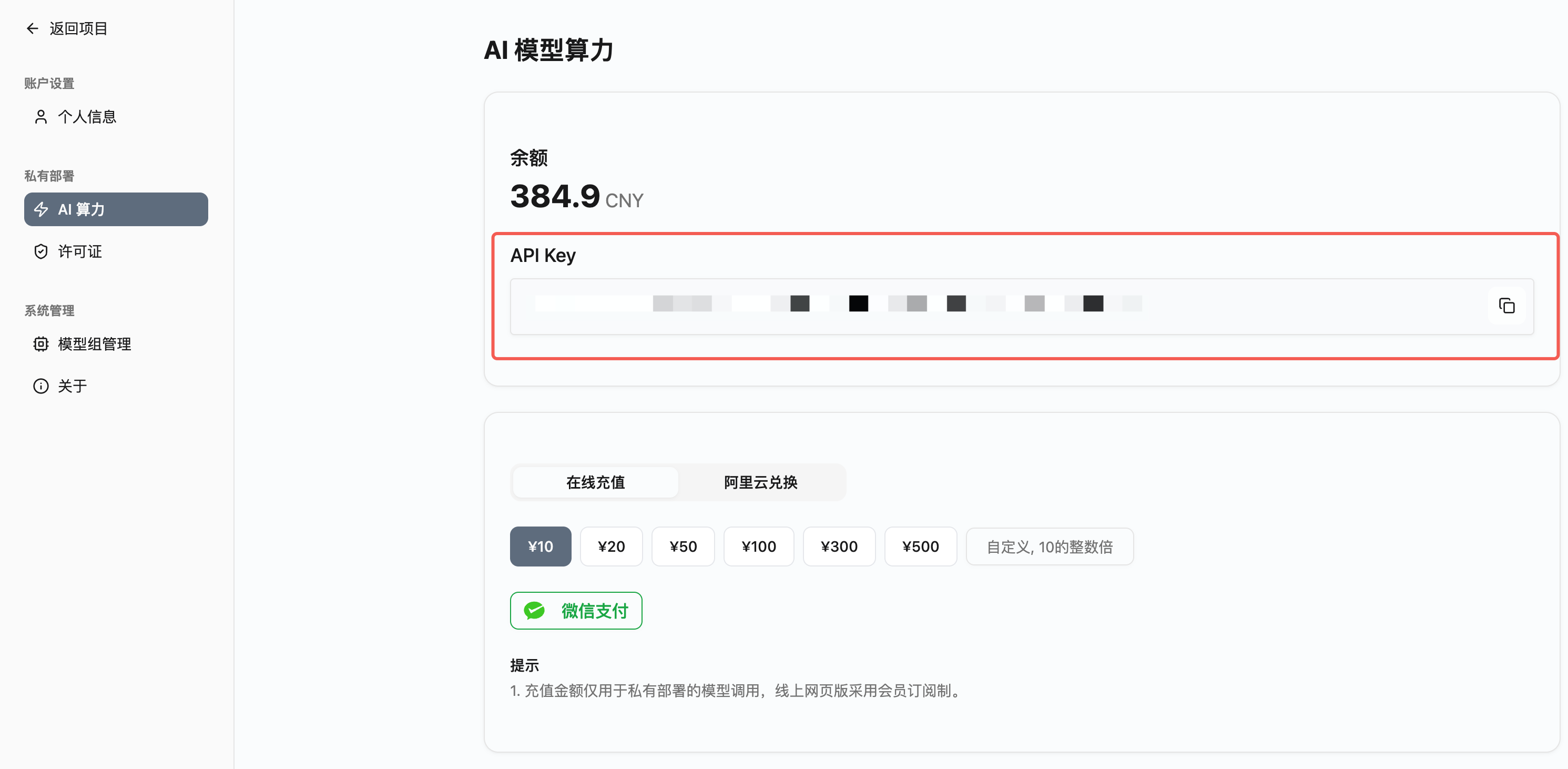
Format: asktable-xxxxxxxxxx...
2. Configure on Local Deployment
Refer to Model Group Configuration Guide to configure the LLM_API_KEY on your local instance.
3. Restart Service and Verify
Restart the AskTable service, re-add the data source, and confirm there is no 401 error.
Frequently Asked Questions
Still getting an error after configuring the API_KEY?
API_KEY and LLM_API_KEY are two different keys:
- API_KEY: Used to call the AskTable backend API
- LLM_API_KEY: Used to call the large model service (required for adding a data source)
Still getting an error after configuration?
Check:
- Correct format (starts with
asktable-) - The key is not expired and has sufficient quota
- No extra spaces or line breaks in the configuration file
- The service has been restarted
Can I use a local model?
Yes, refer to Model Group Configuration Guide to configure a local model.
Related Documentation: Two API Keys · Model Group Configuration