AskTable 20260101 Version Upgrade Notes
AskTable has now been upgraded to the latest 20260101 version, bringing more new features and experience optimizations.
I. New Features and Highlights
-
Support for Analysis Canvas ( Product Capability Introduction, Apply for Beta Testing Here )
AI Data Analysis Canvas:
A fully upgraded experience designed for business data analysts and IT teams. Through AI, automatically generate SQL/Python/JavaScript, completing the process of counting, fetching, cleaning, visualizing, interpreting, and predicting data in one step.
Traditional hours-long analysis processes can be compressed to minutes using the Analysis Canvas feature, allowing professionals to avoid repetitive tasks and focus on high-quality and efficient business decisions! -
The backend database has been switched from MySQL to PostgreSQL
-
Improved visual style and user interface
II. SaaS and Private Deployment Version Notes
- The SaaS Public Cloud Version has been fully upgraded to 20260101 version
- Private deployment images have also been released and can be directly pulled and deployed
- It is recommended that new users deploy the latest version first for the best experience
III. Upgrade Plan for Previous Version Private Deployment Users
Due to major changes in the underlying architecture/database, the previous version cannot be upgraded in place to 20260101 version. Instead, it must be done by deploying anew and migrating data.
Upgrade Restrictions
- Excel/CSV files are not supported for automatic migration; they need to be manually re-uploaded or configured in the new version environment.
- Report content is not supported for automatic migration.
- Integration configurations for Enterprise WeChat and WPS collaboration will not be automatically migrated to the new version. After upgrading, these need to be reconfigured in the new environment. Please record the relevant configuration information in advance.
Upgrade Steps
-
First, upgrade the previous version to the latest version to support the data export function
- Modify the existing Docker Compose configuration and update the image to the
20251230TAG version.registry.cn-shanghai.aliyuncs.com/datamini/asktable-all-in-one:20251230 - Pull the new image and restart the service (
pull→down→up)
- Modify the existing Docker Compose configuration and update the image to the
-
Deploy a new 20260101 version environment:
- You need to deploy a brand-new AskTable. For detailed operations, please refer to the Private Deployment Documentation
- Notes:
- If you run both the previous version and the new version on the same machine, make sure to ensure that container names, port numbers, and other configuration items do not conflict (for example, you can modify
docker-compose.ymlfile'scontainer_name,ports, etc.), to avoid service startup failures. - ⚠️ The system must be empty (no existing data sources) during migration, otherwise migration cannot be performed. If you already have data sources, it is recommended to redeploy a brand-new environment.
- If you run both the previous version and the new version on the same machine, make sure to ensure that container names, port numbers, and other configuration items do not conflict (for example, you can modify
-
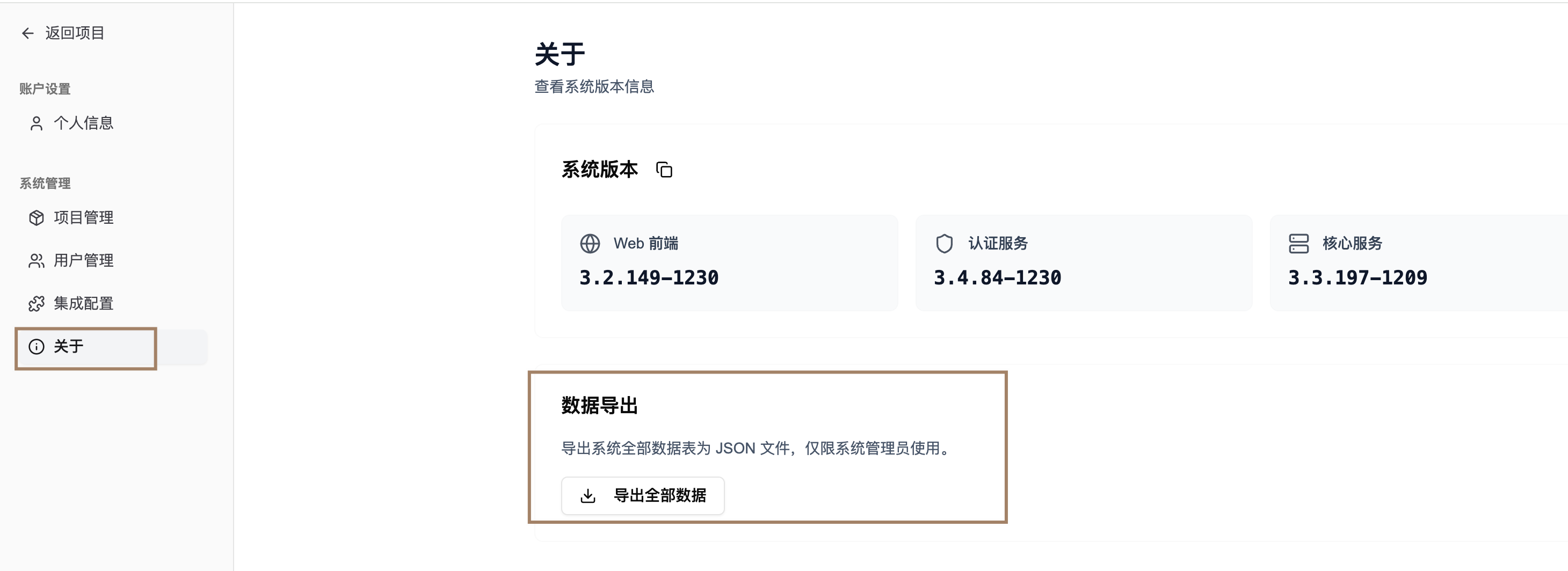
Export project data in the previous version environment:
- Go to the System Management page.
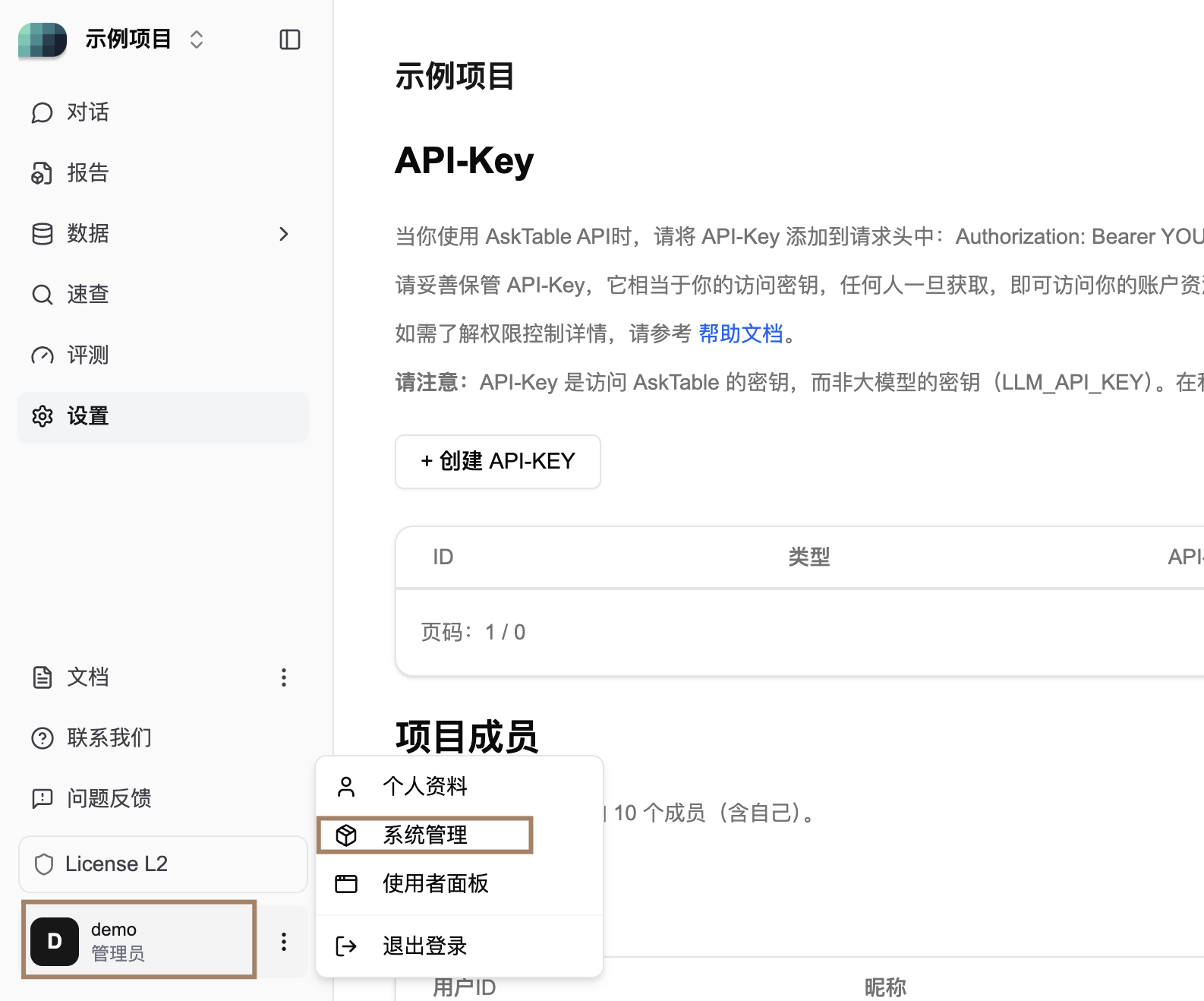
- Use the Data Export Function to export data sources, conversations, projects, etc., as JSON files
-
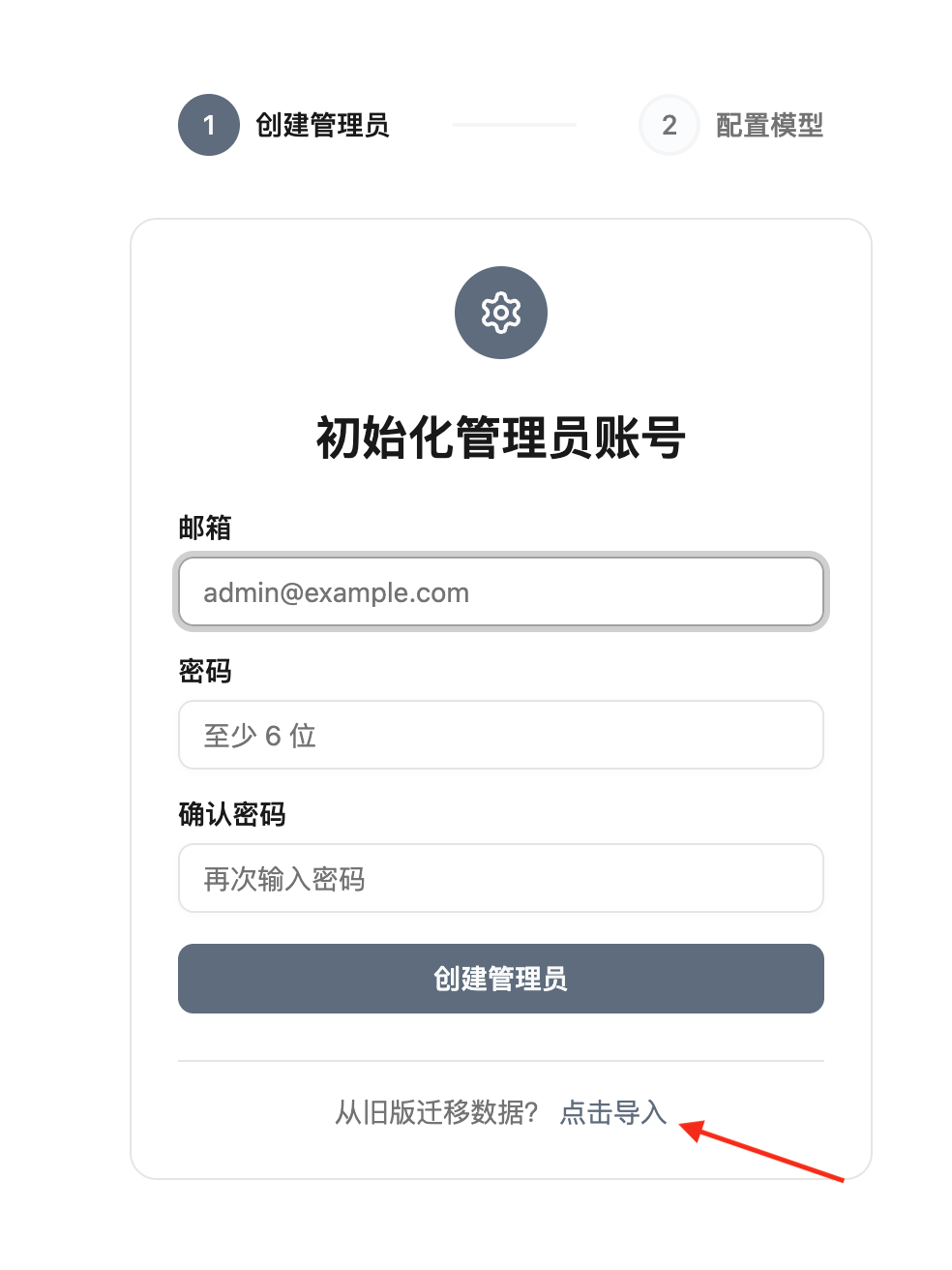
Import data into the new version environment:
- ⚠️ After deployment, the system will redirect to the initial setup page. On this page, you can directly upload the JSON file exported from the previous version to complete the data migration.
- After successful migration, the system will automatically redirect to the login page.
-
If necessary, migrate the local AskTable domain name/IP or adjust other related configurations
IV. Frequently Asked Questions and Support
- If you encounter any issues during the upgrade process, please feel free to contact us via Feishu group or WeChat group for assistance.
Thank you for your support of AskTable. Welcome to experience the new version!