Conversation Management
Conversation List
The "Recents" section in the left sidebar displays all conversations in the project. Click a conversation name to switch to it.
Each conversation item has a more-actions button (···) on the right side, which shows a menu on hover or click:
- Extract Skill — Extract a reusable data analysis skill from the conversation history
- Delete — Delete the conversation
Extract Skill
After selecting "Extract Skill", enter a skill name to create it. The system generates a reusable skill template based on the full analysis process of that conversation, for direct use in future conversations.
Share Conversation
On the conversation page, click the [Share] button at the top-right corner to generate a public access link for the conversation.
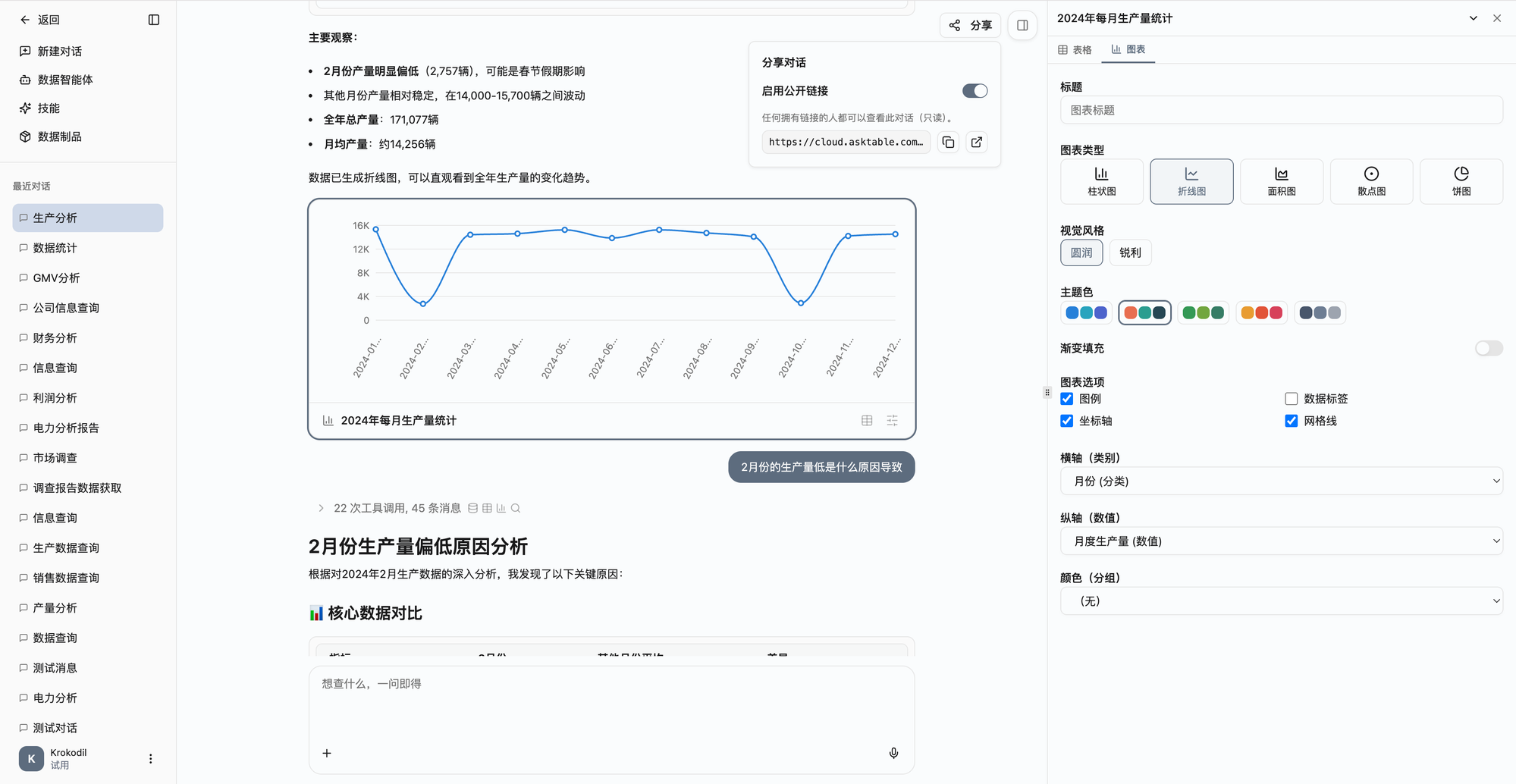
- Enable public link — Toggle the switch to generate a public link; turning it off invalidates the link
- Read-only access — People accessing via the link can only view the conversation content, not edit or interact
- Copy / open link — Click the copy button to copy the link to clipboard, or click the external link button to open in a browser