Project Export and Import
Recommended Use Cases
- Project Backup: Save the current project's configuration state for future restoration.
- Environment Migration: Migrate a project from one deployment environment to another.
- Project Replication: Quickly create multiple structurally identical project copies for testing or team collaboration.
Project Export
How to Export a Project
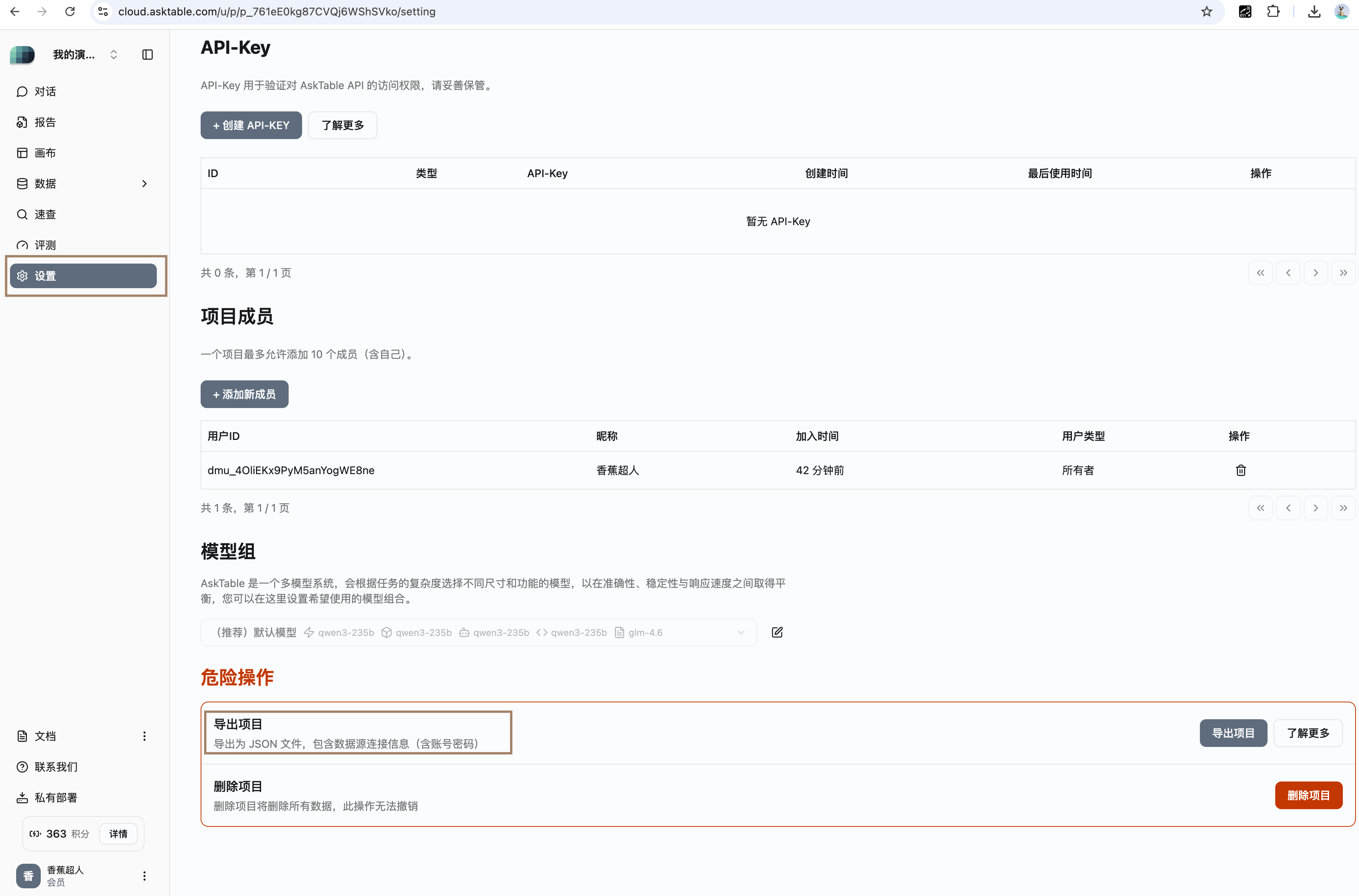
- Click on the Project Settings icon in the main interface to enter the project settings page.
- Scroll down to the bottom of the page and click the Export Project button to download the JSON file containing the current project state.
Content of the Export
The exported JSON file contains the complete configuration information of the current project, including:
- Project Information
- User Preferences
- Bot Information
- Glossary (Terminology)
- Policy Configuration
- Role Configuration
- Training Data Set
- Data Source Information
- Existing Metadata Information (including schema, table, field)
Example of the Exported JSON Format
{
  "project_info": {
    "id": "p_123",
    "name": "test project"
  },
  "preferences": [],
  "chatbots": [],
  "glossary_entries": [],
  "policies": [],
  "chat_roles": [],
  "auth_role_policies": [],
  "training_pairs": [],
  "datasources": [],
  "connections": [],
  "meta_schemas": [],
  "meta_tables": [],
  "meta_fields": [],
  "_id_map_debug": {}
}
Project Import
How to Import a Project
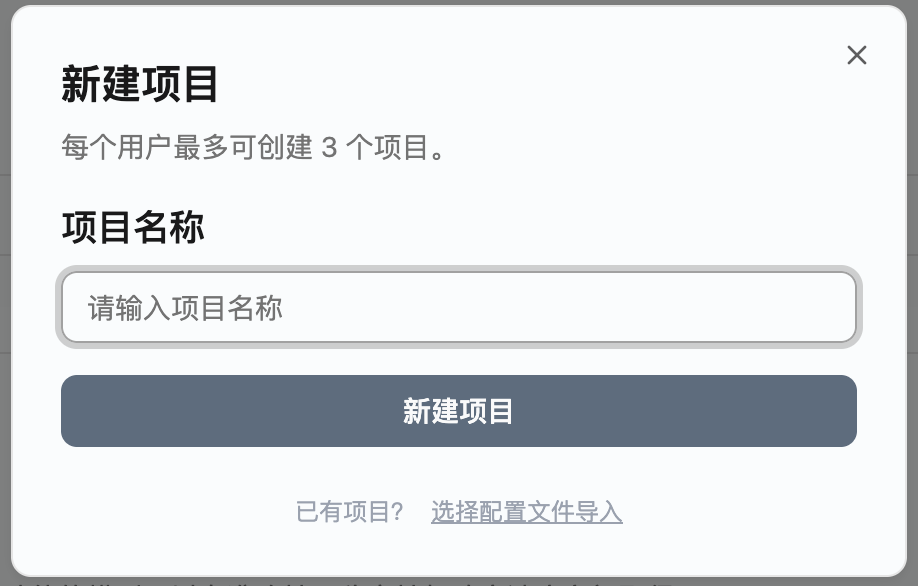
- Click on Project List in the top left corner of the main interface, then select Create New Project.
- In the pop-up window for creating a new project, click the Import Project button.
- Select the JSON file you previously exported for import.
Import Mechanism Explanation
The core logic of the project import function is to clone a completely new project copy based on the user-provided exported JSON file. The entire process does not affect the original project data. The imported project will have a new project ID and exist as an independent project in the system.
Precautions
- If the imported file format does not meet the specifications, the system will prompt that the file is invalid.
- The same exported file can be imported multiple times, and each import will create a new project copy.