Evaluation Report
The evaluation report provides an overview of the execution status of past tasks and the overall success rate.
1. Enter the Report Page
- Click the [View Report] button at the top right corner of the Evaluation Set details page, or click [Evaluation Report] in the breadcrumb navigation on the Evaluation details page.
2. Core Metrics of the Report
The report list page displays an overview of each previous evaluation task:
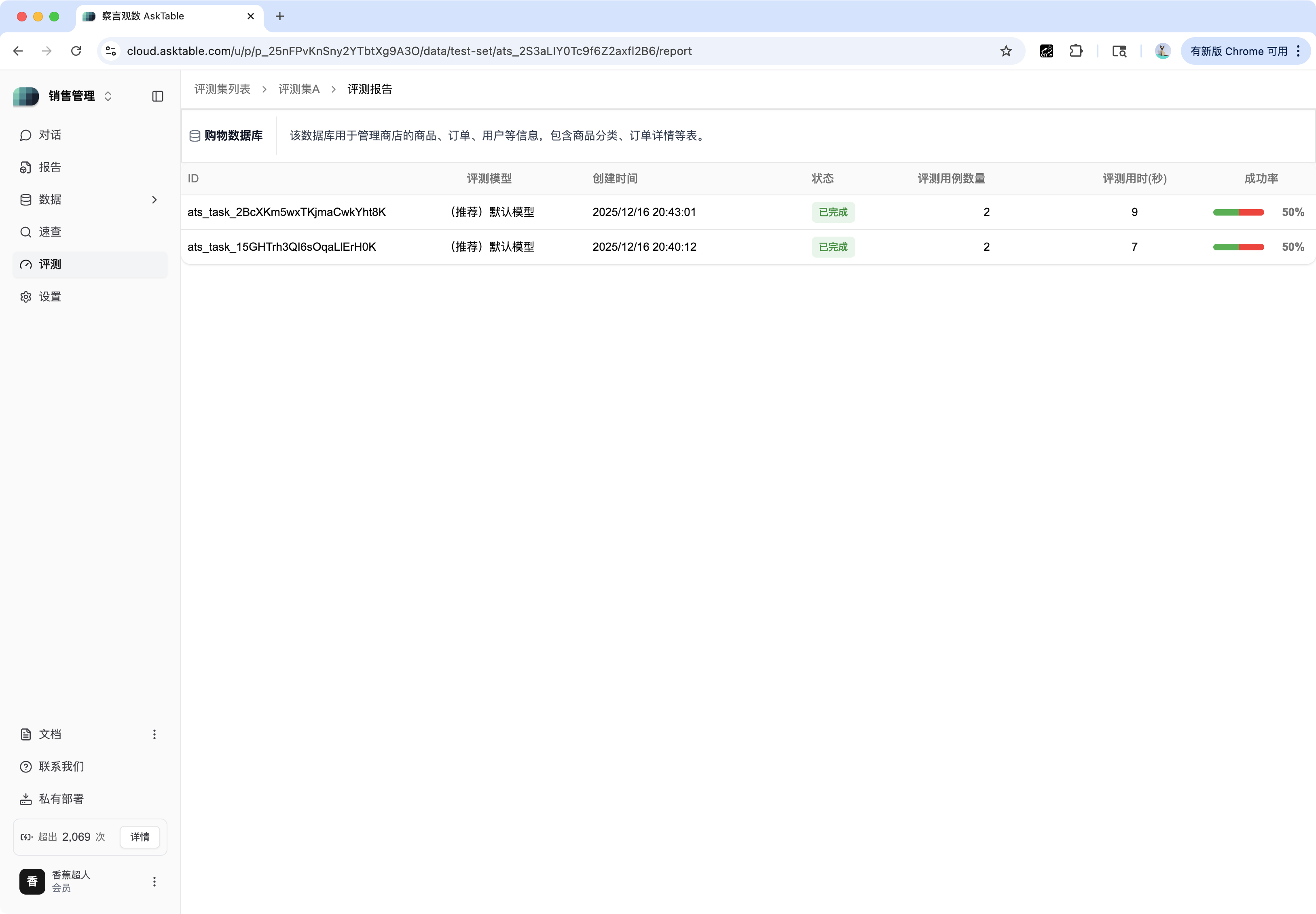
| Task Field | Description | Example |
|---|---|---|
| ID | The unique identifier of the evaluation task (e.g., ata_task_2BbOK...). | ata_task_15GHTH3Q... |
| Evaluation Type | The AI model configuration used for this evaluation. | Default Model |
| Status | Whether the task has been completed. | Completed |
| Number of Evaluation Cases | Total number of test cases run in this task. | 2 |
| Evaluation Time (seconds) | Total time taken by the task. | 7 |
| Success Rate | Final accuracy of this task. | 50% |
3. View Details
Click on the task ID (e.g., ata_task_15GHTH3Q...) to enter the Evaluation Details page and view the detailed comparison results for each test case.