Private Deployment Enterprise Edition AskTable (with AI Observation)
1. Deployment and Startup
Network and Hardware Configuration Requirements
Please refer to Private Deployment Network and Hardware Configuration Requirements.
Deployment Steps
- Follow the deployment steps of the All-in-One Edition, but modify the
docker-compose.ymlfile inside to the following content:
services:
  asktable:
    # AskTable
    image: registry.cn-shanghai.aliyuncs.com/datamini/asktable-all-in-one:latest  # For Mainland China
    container_name: asktable
    depends_on:
      - asktable_pg
    ports:
      - "8000:80"
    privileged: true
    environment:
      TZ: Asia/Shanghai
      BASE_URL: http://127.0.0.1:8000        # 【Mandatory Modification】The address exposed by the container (i.e., the address accessed from outside, such as a browser)
      LLM_API_KEY: asktable-xxxxxx=xxxxxxxx      # 【Mandatory Modification】AI model token, which is a string starting with "asktable-". After logging into AskTable(https://cloud.asktable.com), click "Private Deployment AskTable" at the top to obtain it.
      DATABASE_HOST: asktable_pg               # PostgreSQL database address (this database is the AskTable system database, not the database that AskTable queries, the latter needs to be added on the AskTable interface)
      DATABASE_PORT: 5432                      # PostgreSQL database port
      DATABASE_USER: asktable                  # PostgreSQL database username
      DATABASE_PASSWORD: asktable              # 【Recommended to Modify】PostgreSQL database password
      DATABASE_DB: asktable                    # PostgreSQL database name
      VDB_ADDRESS: http://asktable_vdb:6333    # Vector database address
      VDB_API_KEY: asktable                    # 【Recommended to Modify】Vector database API KEY
      AISEARCH_ENABLE: 1
      AISEARCH_HOST: http://asktable_aisearch:7700
      AISEARCH_MASTER_KEY: asktable           # 【Recommended to Modify】
      OBSERVER_HOST: http://obs_web:3000
      OBSERVER_SECRET_KEY: lf_sk_1234567890   # 【Recommended to Modify】
      OBSERVER_PUBLIC_KEY: lf_pk_1234567890   # 【Recommended to Modify】
      OBSERVER_PROJECT_ID: asktable-local
    volumes:
      - ./asktable_data:/asktable

  asktable_pg:
    image: registry.cn-shanghai.aliyuncs.com/dminfra/postgres:17.6
    container_name: asktable_pg
    restart: unless-stopped
    ports:
      - "5432"
    environment:
      TZ: Asia/Shanghai
      POSTGRES_USER: asktable              # 【Recommended to Modify】
      POSTGRES_PASSWORD: asktable          # 【Recommended to Modify】
      POSTGRES_DB: asktable
    volumes:
      - ./postgres_data:/var/lib/postgresql/data

  asktable_vdb:
    image: registry.cn-shanghai.aliyuncs.com/dminfra/qdrant:v1.11.5
    container_name: asktable_vdb
    ports:
      - "6333"
      - "6334"
    environment:
      RUN_MODE: production
      TZ: Asia/Shanghai
      QDRANT__SERVICE__API_KEY: asktable  # 【Recommended to Modify】
    volumes:
      - ./qdrant_storage:/qdrant/storage
      - ./qdrant_snapshots:/qdrant/snapshots

  asktable_aisearch:
    image: registry.cn-shanghai.aliyuncs.com/dminfra/aisearch:v1.12.8
    container_name: asktable_aisearch
    privileged: true
    restart: always
    ports:
      - "7700"
    environment:
      TZ: Asia/Shanghai
      MEILI_MASTER_KEY: asktable  # 【Recommended to Modify】
    volumes:
      - ./aisearch_data:/meili_data

  asktable_atbox:
    image: registry.cn-shanghai.aliyuncs.com/datamini/asktable-atbox:latest  # For mainland China
    # image: datamini/asktable-atbox:latest   # Other regions
    container_name: asktable_atbox
    restart: unless-stopped
    environment:
      TZ: Asia/Shanghai

  asktable_feishu_gateway:
    image: registry.cn-shanghai.aliyuncs.com/datamini/asktable-feishu-gateway:latest  # For mainland China
    # image: datamini/asktable-feishu-gateway:latest   # Other regions
    container_name: asktable_feishu_gateway
    restart: unless-stopped
    depends_on:
      - asktable_redis
    environment:
      TZ: Asia/Shanghai
      REDIS_URL: redis://:asktable@asktable_redis:6379

  # The following are the AskTable observation service (OBS)
  asktable_redis:
    image: registry.cn-shanghai.aliyuncs.com/dminfra/redis:7.4.4
    container_name: asktable_redis
    ports:
      - "6379"
    volumes:
      - ./redis_data:/data
    command: redis-server --appendonly yes --requirepass asktable

  asktable_postgresql:
    image: registry.cn-shanghai.aliyuncs.com/dminfra/postgres:17.6
    container_name: asktable_postgresql
    restart: always
    privileged: true
    ports:
      - "5432"
    healthcheck:
      test: ["CMD-SHELL", "pg_isready -U asktable -d asktable_obs"]
      interval: 3s
      timeout: 3s
      retries: 10
    environment:
      POSTGRES_USER: asktable
      POSTGRES_PASSWORD: asktable    # 【Recommended to Modify】
      POSTGRES_DB: asktable_obs
    volumes:
      - ./postgresql_data:/var/lib/postgresql/data

  asktableminio:
    image: registry.cn-shanghai.aliyuncs.com/dminfra/minio:RELEASE.2025-07-23T15-54-02Z-cpuv1
    container_name: asktableminio
    ports:
      - "9090:9000"   # S3 API port
      - "9001"   # MinIO console port
    volumes:
      - ./minio_data:/data
    environment:
      TZ: Asia/Shanghai
      MINIO_ROOT_USER: asktable
      MINIO_ROOT_PASSWORD: asktable   # 【Recommended to Modify】
    entrypoint: sh
    # create new bucket before starting the service
    command: -c 'mkdir -p /data/langfuse && minio server --address ":9000" --console-address ":9001" /data'
    restart: always
    healthcheck:
      test: ["CMD", "mc", "ready", "local"]
      interval: 1s
      timeout: 5s
      retries: 5
      start_period: 1s

  obs_clickhouse:
    image: registry.cn-shanghai.aliyuncs.com/dminfra/clickhouse-server:25.5.4.38
    container_name: obs_clickhouse
    restart: always
    privileged: true
    environment:
      CLICKHOUSE_DB: default
      CLICKHOUSE_USER: asktable
      CLICKHOUSE_PASSWORD: asktable    # 【Recommended to Modify】
    volumes:
      - ./obs_clickhouse_data:/var/lib/clickhouse
      - ./obs_clickhouse_logs:/var/log/clickhouse-server
    ports:
      - "8123"
      - "9000"
    healthcheck:
      test: wget --no-verbose --tries=1 --spider http://localhost:8123/ping || exit 1
      interval: 5s
      timeout: 5s
      retries: 10
      start_period: 1s

  obs_worker:
    image: registry.cn-shanghai.aliyuncs.com/dminfra/observer-worker:3.78.1
    container_name: obs_worker
    restart: always
    depends_on:
      obs_clickhouse:
        condition: service_healthy
    ports:
      - "3030"
    environment: &obs-worker-env
      TZ: Asia/Shanghai
      DATABASE_URL: postgresql://asktable:asktable@asktable_postgresql:5432/asktable_obs   # 【Recommended to Modify】
      SALT: "asktable"    # 【Recommended to Modify】
      ENCRYPTION_KEY: "77769faf27e62bb20e3c3e397eec29a93c23a8648281dc4dbe65dab0340040fb" # 【Recommended to Modify】 generate via `openssl rand -hex 32`
      TELEMETRY_ENABLED: ${TELEMETRY_ENABLED:-true}
      LANGFUSE_ENABLE_EXPERIMENTAL_FEATURES: ${LANGFUSE_ENABLE_EXPERIMENTAL_FEATURES:-true}
      CLICKHOUSE_MIGRATION_URL: clickhouse://obs_clickhouse:9000
      CLICKHOUSE_URL: http://obs_clickhouse:8123
      CLICKHOUSE_USER: asktable
      CLICKHOUSE_PASSWORD: asktable         # 【Recommended to Modify】
      CLICKHOUSE_CLUSTER_ENABLED: false

      # OSS for S3-compatible storage (Aliyun OSS)
      LANGFUSE_USE_AZURE_BLOB: false
      LANGFUSE_S3_EVENT_UPLOAD_BUCKET: langfuse
      LANGFUSE_S3_EVENT_UPLOAD_REGION: auto
      LANGFUSE_S3_EVENT_UPLOAD_ACCESS_KEY_ID: asktable
      LANGFUSE_S3_EVENT_UPLOAD_SECRET_ACCESS_KEY: asktable   # 【Recommended to Modify】
      LANGFUSE_S3_EVENT_UPLOAD_ENDPOINT: http://asktableminio:9000
      LANGFUSE_S3_EVENT_UPLOAD_FORCE_PATH_STYLE: true
      LANGFUSE_S3_EVENT_UPLOAD_PREFIX: langfuse-events/

      LANGFUSE_S3_BATCH_EXPORT_ENABLED: false
      LANGFUSE_INGESTION_QUEUE_DELAY_MS: ${LANGFUSE_INGESTION_QUEUE_DELAY_MS:-}
      LANGFUSE_INGESTION_CLICKHOUSE_WRITE_INTERVAL_MS: ${LANGFUSE_INGESTION_CLICKHOUSE_WRITE_INTERVAL_MS:-}

      REDIS_HOST: asktable_redis
      REDIS_PORT: 6379
      REDIS_AUTH: asktable   # 【Recommended to Modify】
      REDIS_TLS_ENABLED: false

  obs_web:
    image: registry.cn-shanghai.aliyuncs.com/dminfra/observer:3.78.1
    container_name: obs_web
    restart: always
    depends_on:
      obs_clickhouse:
        condition: service_healthy
    ports:
      - "3000:3000"
    environment:
      TZ: Asia/Shanghai
      <<: *obs-worker-env
      NEXTAUTH_URL: http://127.0.0.1:3000
      NEXTAUTH_SECRET: OY7/pJ266mFbPI9RM6zbmdOo0HD7+OT0fVyhoujVp9Y=   # 【Recommended to Modify】 generate via `openssl rand -base64 32`
      LANGFUSE_INIT_ORG_ID: asktable
      LANGFUSE_INIT_ORG_NAME: asktable
      LANGFUSE_INIT_PROJECT_ID: asktable-local
      LANGFUSE_INIT_PROJECT_NAME: asktable-local
      LANGFUSE_INIT_PROJECT_PUBLIC_KEY: lf_pk_1234567890   # 【Recommended to Modify】
      LANGFUSE_INIT_PROJECT_SECRET_KEY: lf_sk_1234567890   # 【Recommended to Modify】
      LANGFUSE_INIT_USER_EMAIL: admin@asktable.com
      LANGFUSE_INIT_USER_NAME: asktable
      LANGFUSE_INIT_USER_PASSWORD: asktable   # 【Recommended to Modify】
| Name | Port | Authentication |
|---|---|---|
| asktable | 8000 | Account: admin@asktable.com Password: admin |
| observer | 3000 | Account: admin@asktable.com Password: asktable |
- For other steps, please refer to All-in-One Edition Deployment.
2. Contact AskTable to Obtain Software License
After deployment, contact AskTable staff to obtain the software license, or directly log in to the "AskTable Official Website" and click "Private Deployment AskTable" at the top to purchase.
3. Activate the License
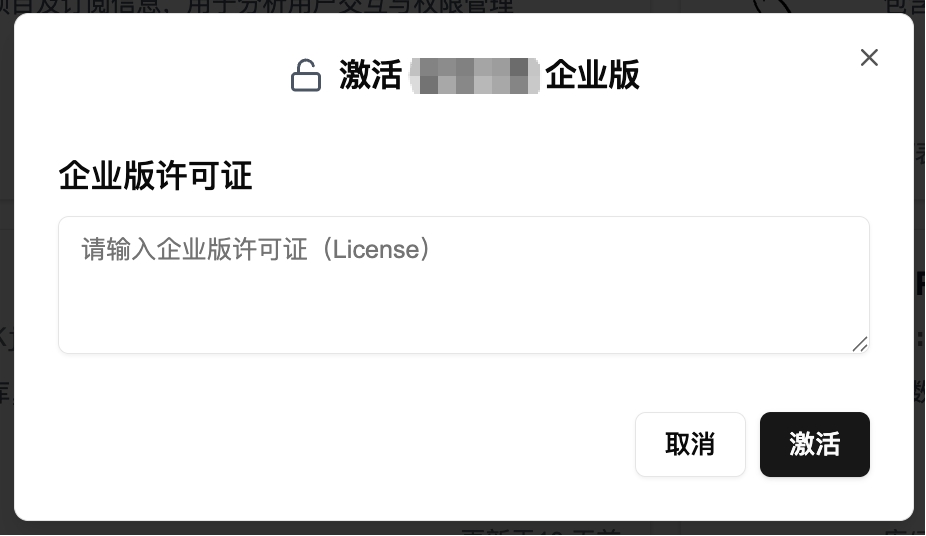
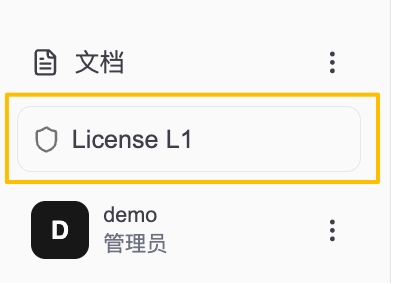
- Log in to the private deployment AskTable, click on "Trial Version" at the bottom left, and enter the "Activate License" page.
- Enter the software license and click the "Activate" button.